Translate a Japanese PDF to English

Choose a Japanese PDF, select the pages you need and compare the English result with the original. Text-based and scanned PDFs can be processed; check recognition and layout.

Choose a Japanese PDF

The selected file is uploaded for translation. English is the initial target; confirm Japanese as the source after detection. Eligible files can try the first three file pages free; review the displayed credits before continuing.

Inspect a real Japanese scan and English output
Drop your PDF here, or choose a file
Loading page…
PDF only · up to 300.0 MiB
Start without an account · Sign in to download the PDF

Translate a Japanese PDF to English: review the result

Choose an authorized Japanese PDF above. The selected file is uploaded for translation. Confirm Japanese as the source after detection and keep English as the target; both are editable. If the document mixes languages, check the detected language and compare the result with the original. Select the file pages you need and review the available trial or credit amount before starting.

Check the page itself

A scan, vertical text, small annotations or text inside a diagram can be missed or read out of order. Compare a representative dense page and its labels with the source; selectable text on one page does not prove the rest was recognized.
Verify names and numbers

Check names, model identifiers, units, dates and any Japanese era year against the original or an authoritative source. Keep table headings and notes with their values. Do not assume a converted date or transliteration is correct.

Review meaning in context

Read sentences before and after the passage. Check negation, qualifications, omitted subjects and references between lines. Use a qualified human reviewer when the document will inform an important decision or requires certification.

Use the optional checklist to record page numbers and uncertainties locally. It does not read or validate your PDF. Below you can inspect one fictional Japanese scan and its actual English output; one clean page does not establish accuracy for your document.

Inspect the Japanese scan exampleDownload the Japanese-to-English review checklistChoose a PDFCompare two PDFs locally

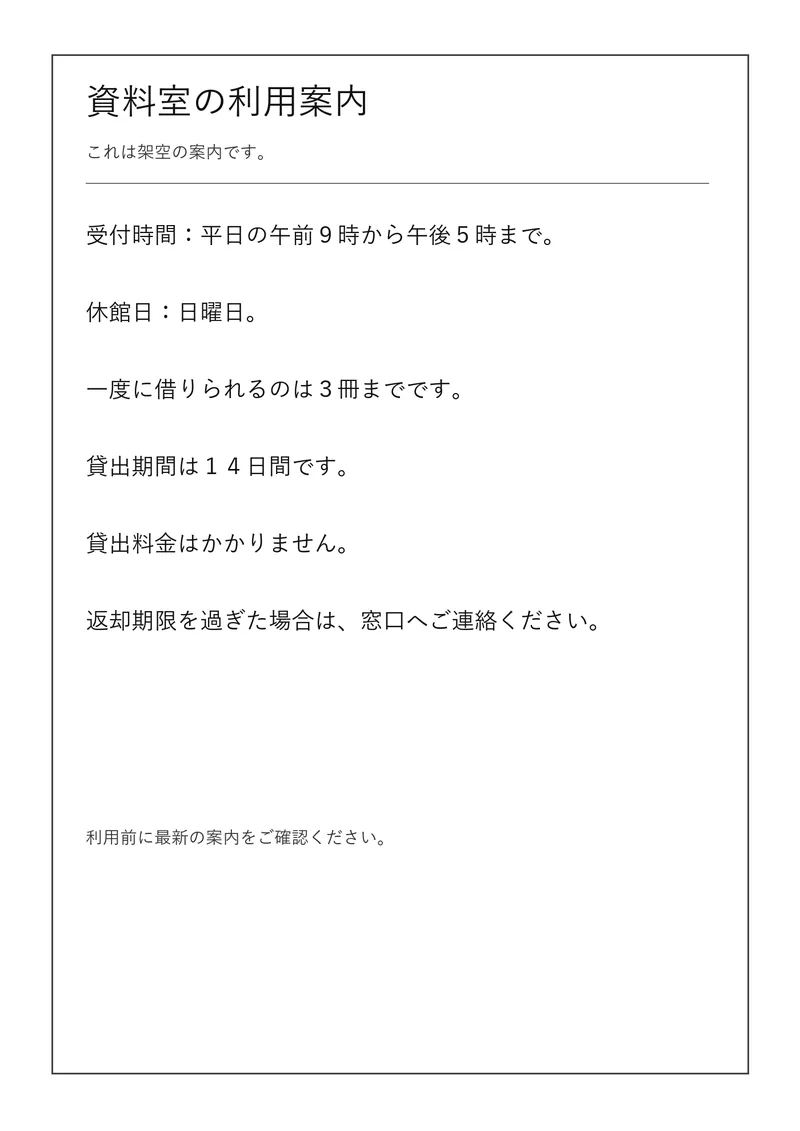
A Japanese scanned PDF and its actual English result

Japanese image-only PDF → English

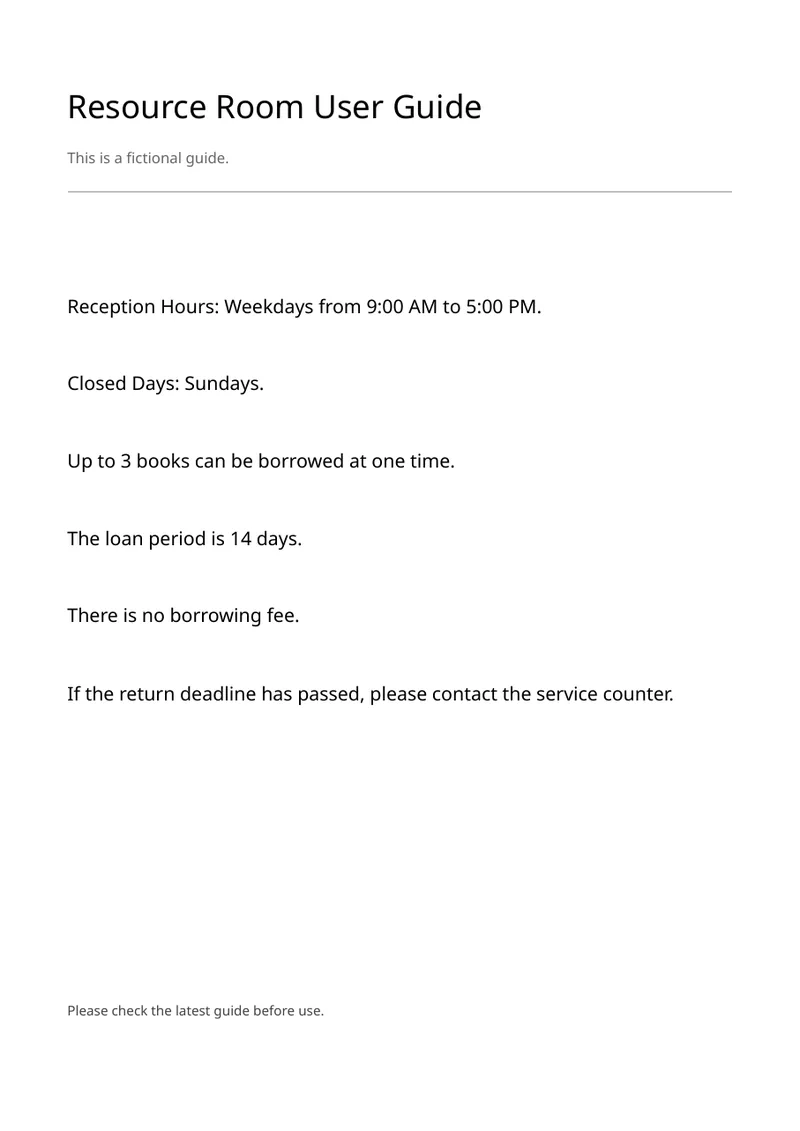
This fictional, one-page resource-room notice was created as an image-only PDF and translated in a free guest trial. We checked the reception hours, Sunday closure, three-book limit, 14-day loan and no-fee statement against the Japanese source. “Weekdays” can depend on local holiday conventions, so clarify the intended days in a real notice. No independent linguistic review was performed.

The output changed the font and spacing and omitted the original border. This is one clean scan without handwriting or tables; it does not establish the quality of other files. Preview images are reduced for display; use the PDFs to inspect the original and unedited output.

Fictional Japanese resource-room notice, image-only PDF
Japanese source
Actual English translation with changed typography and no border
Actual English output

Download Japanese originalDownload actual English outputCompare this Japanese scan and English output

Before relying on the result

For OCR text alone, use the local PDF text extractor: select Japanese, review up to 20 consecutive horizontal pages and download TXT. It does not translate; opening the extractor does not transfer a file. OCR may insert spaces within words or numbers, so compare with the original. Compare names, numbers, omitted text and layout in any translation with the original. This automated reading aid is not a certified translation. If official acceptance or a consequential decision depends on it, confirm the requirements and obtain a qualified human review.

Extract horizontal Japanese scan text locally · Learn about scans and OCR · Review credits