

Arabic → English · PDF translation
Translate an Arabic PDF to English
Choose an Arabic PDF and compare the English result with the source. Text-based and scanned PDFs can be processed; check recognition, reading order and layout.
Choose an Arabic PDFThe selected file is uploaded for translation. English is the initial target; confirm Arabic as the source after detection. Eligible files can try the first three file pages free; review the displayed credits before continuing.
Inspect one Arabic scan and its English outputHow to translate and review an Arabic PDF
1. Choose the PDF
Upload a file you are authorized to use. A PDF can contain both selectable text and image-only pages; check representative pages rather than relying on one selection test.
2. Confirm languages and pages
Confirm Arabic as source and English as target after detection. Select the pages and review the available trial or credit amount before starting translation.
3. Compare the result
Compare names, numbers, dates and negation with the source. Check image labels and table relationships, and inspect reading order when right-to-left text becomes English.
A clear scan can still be misread. Cropped text, handwriting, stamps and dense tables need extra care; formatting and alignment can change. This is an automated reading aid, not a certified translation. For official use or important decisions, confirm the requirements and use a qualified human reviewer.
Arabic to English scanned PDF: a real one-page example
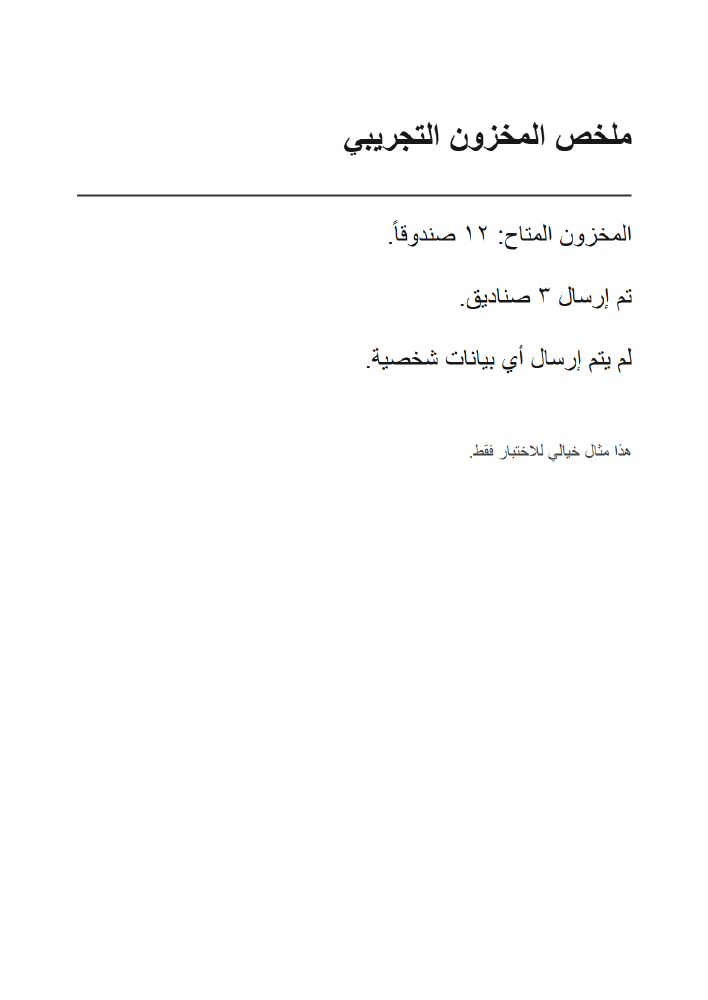
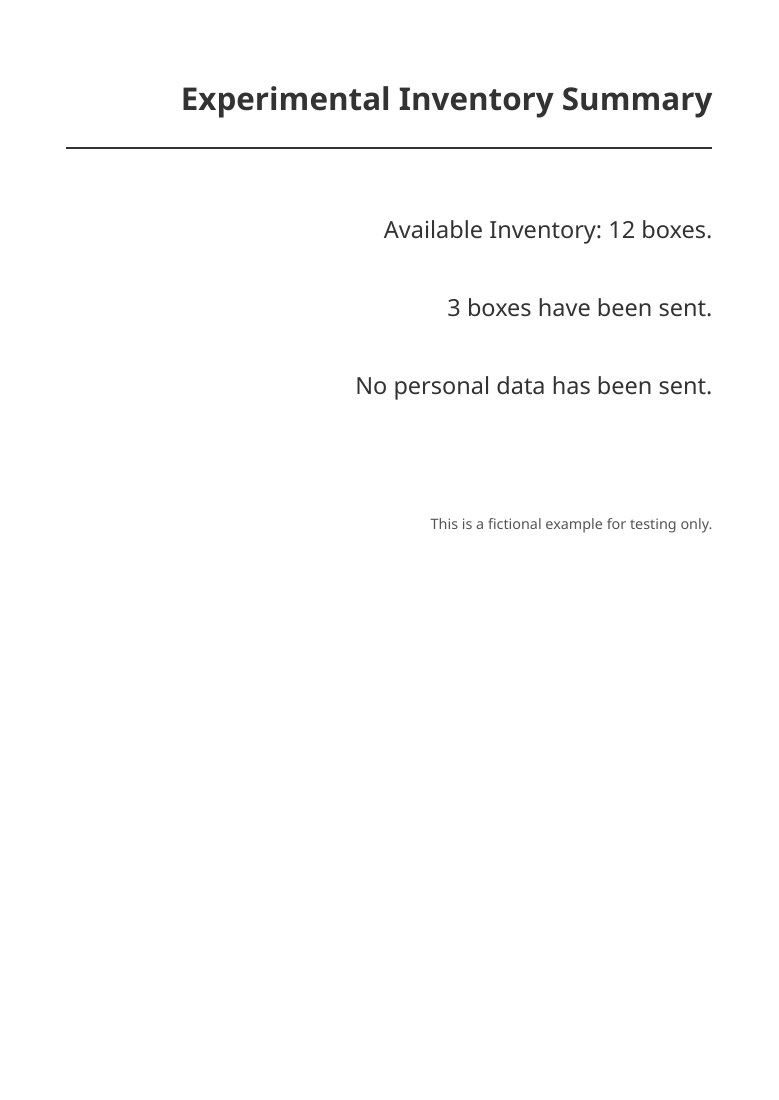
This fictional Arabic inventory was saved as an image-only PDF with no selectable text, then translated to English using a Scanfile guest trial on November 13, 2026. The original and unedited result are below. It is a clean synthetic scan, not a phone photo or a test of handwriting.
Download the Arabic scanDownload the English resultOpen this example in the comparison tool
The result shows 12 available boxes, 3 boxes sent and the negative statement about personal data. That sentence is part of the fictional document, not a privacy guarantee. The page remains right-aligned and its typeface and spacing changed. The output text includes a ligature, so copied text may differ from what you see.
This one-page example has not received independent Arabic or English linguistic review. It does not establish quality for blurred scans, handwriting, complex tables or other documents. Check names, numbers, negation and reading order against your own source; use a qualified translator where a certified translation is required.
Other ways to work with a scan
If you only need to extract text first, Google Drive offers an OCR workflow whose results need review; complex columns and tables may not transfer reliably. Keep the original alongside any extracted or translated text.